CMMDT
The lineup

Fisch Macro for Mac & MacBook

ALware Quasar v3.5.0 · Free · Apple Silicon & Intel Mac downloads

ALware Fisch Macro icon Fisch macro · macOS & Windows

ALware Fisch Macro

ALware is a free, non-external, color-based macro for Fisch. It watches the colors on your screen to handle the fishing loop, and it runs on both macOS and Windows.

  • Free to use
  • Color-based detection
  • Non-external
  • Works on macOS and Windows
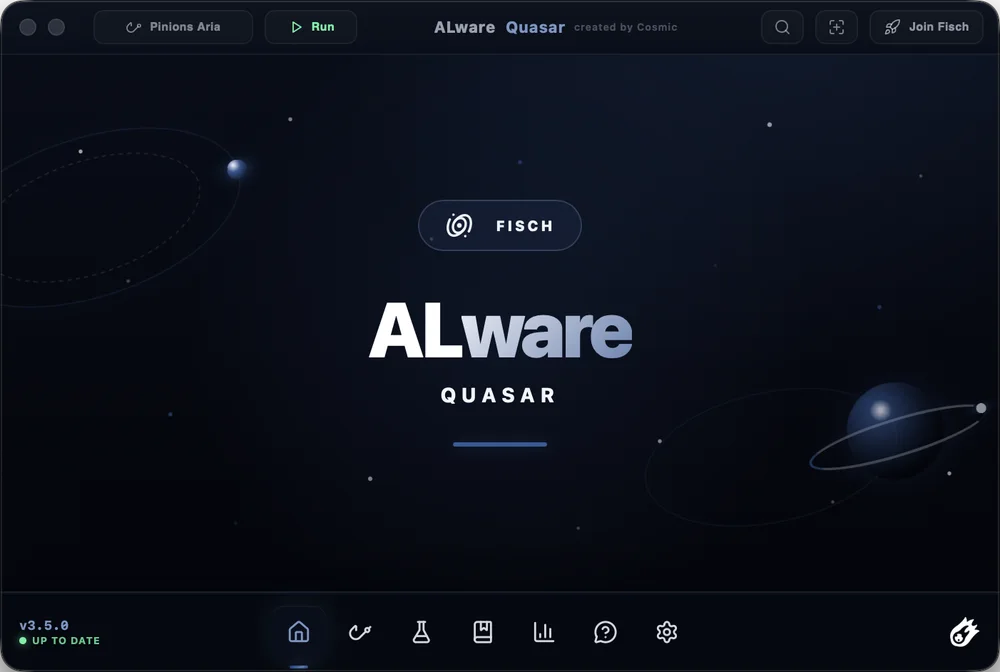
ALware Quasar home screen with Run button and bottom navigation
DownloadmacOS v3.5.0 · Windows v3.0
What’s new in Quasar v3.5.0
  • New rods. Lullaby, Halibut Harpoon, Tranquility Rod, Bellona’s Waraxe, Nate’s Blade and DreamBreaker.
  • Auto Utility V2. Backpack search with adjustable typing speed, plus hotbar support. Keeperbound recharge now reads the power level instead of waiting a fixed time. Adds Auto Nuke, Auto Time Change, Auto Weather Totem and a Hunt Detector for every hunt, with notification and chat alerts.
  • Status HUD rework. Shows catches and losses, current weather, surge, sovereign weather and more.
  • Harpooning. Active mode snipes roaming fish automatically; passive mode clicks PULL buttons for you. Both have adjustable speed.
  • Stellarwave Melody V2. 4× faster clicks, 3× more accurate tracking, adjustable click speed, a slight click drop to look natural, and 10–11 clicks per reel.
  • Lullaby and Halibut. Auto Metronome and reeling work in every mode, with automatic harpoon catching.
  • Discord webhook. Screenshots each catch and reads weight, rarity, shiny or sparkling status and catch rate. Compact and Detailed modes.
  • Auto private server and region sets. Link rods to named region sets with their own settings, and join private servers automatically through the Join Fisch button.
  • Performance. CPU use down from 200% to 70% and RAM from 300 MB to 100–180 MB. CPU, GPU and RAM meters added to the Status HUD.
  • Permissions carry over. Starting with 3.5.0, updates use the same certificate, so macOS keeps your permissions between versions.
All releases on GitHub →

A Fisch macro built for Mac

ALware Quasar is CMMDT’s free Fisch macro for Mac. It reads colors on your screen to automate fishing in Roblox Fisch, with separate downloads for Apple Silicon and Intel Macs. Quasar v3.5.0 adds rod support, automatic utilities and a redesigned status HUD.

Can I use a Fisch macro on a MacBook?

Yes. ALware has macOS builds for MacBook Air and MacBook Pro, as well as desktop Macs. Open Apple menu → About This Mac to check your hardware: choose Apple Silicon if it lists an Apple chip, or Intel Mac if it lists an Intel processor. The Windows download is a separate v3.0 release.

How do I get started with ALware on Mac?

  1. Download the v3.5.0 .dmg above that matches your Mac’s chip, then open it to install ALware.
  2. Launch ALware and follow its setup prompts for macOS permissions. Watch the Mac setup tutorial for a walkthrough.
  3. Open Fisch in Roblox, select your rod preset and configure the detection regions for your screen before starting the macro.

What makes the best Fisch macro for Mac?

The best Fisch macro for your Mac depends on your chip, rod and setup. Check for a macOS build, support for the rods you use, adjustable detection settings and clear setup guidance. ALware offers color-based tracking, rod presets, named region sets and adjustable automation. Watch the ALware showcase to see whether its workflow fits how you play.

What does Quasar v3.5.0 include?

Supported rod additions include Lullaby, Halibut Harpoon, Tranquility Rod, Bellona’s Waraxe, Nate’s Blade and DreamBreaker. Auto Utility V2 adds backpack search, automatic weather and time changes, and hunt alerts. Active and passive harpooning, Discord catch webhooks and a status HUD with catch counts are also included. Open “What’s new” above for the full release notes.

Is ALware free, and where can I get help?

ALware is free to download. CMMDT develops and maintains the app; the GitHub releases contain the downloads and version history. For setup questions or bug reports, contact the team through CMMDT Discord or visit the team page.

Explore all CMMDT tools →